Now in early preview

Run the floor.
From your phone.

Facility Ops puts projects, assignments, materials, time, and team updates in one mobile app, so everyone from the office to the floor knows the next step.

  • No desktop portal
  • Real shift workflows
  • 3 role-based views
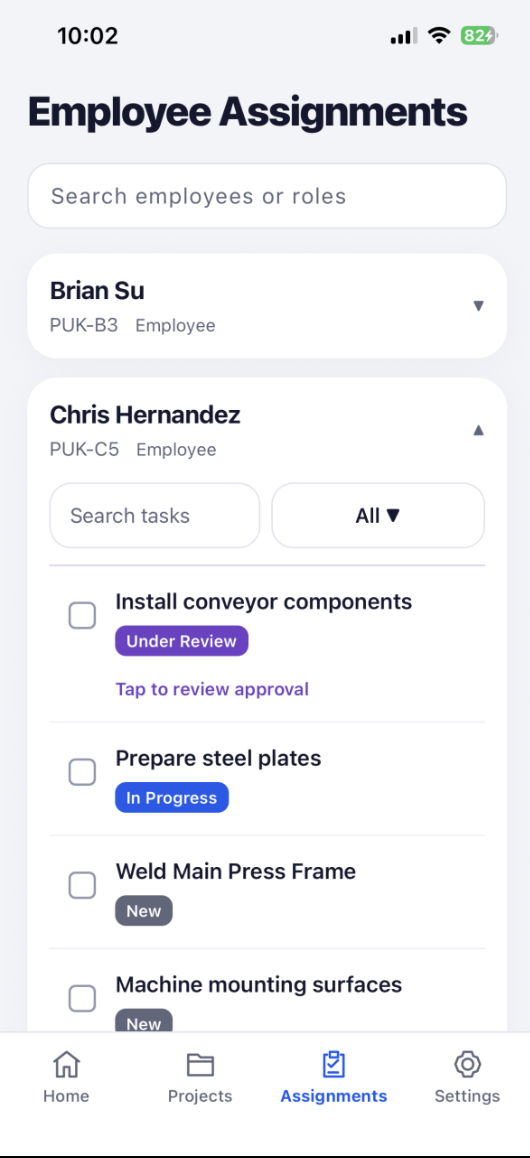
Facility Ops Employee Assignments screen
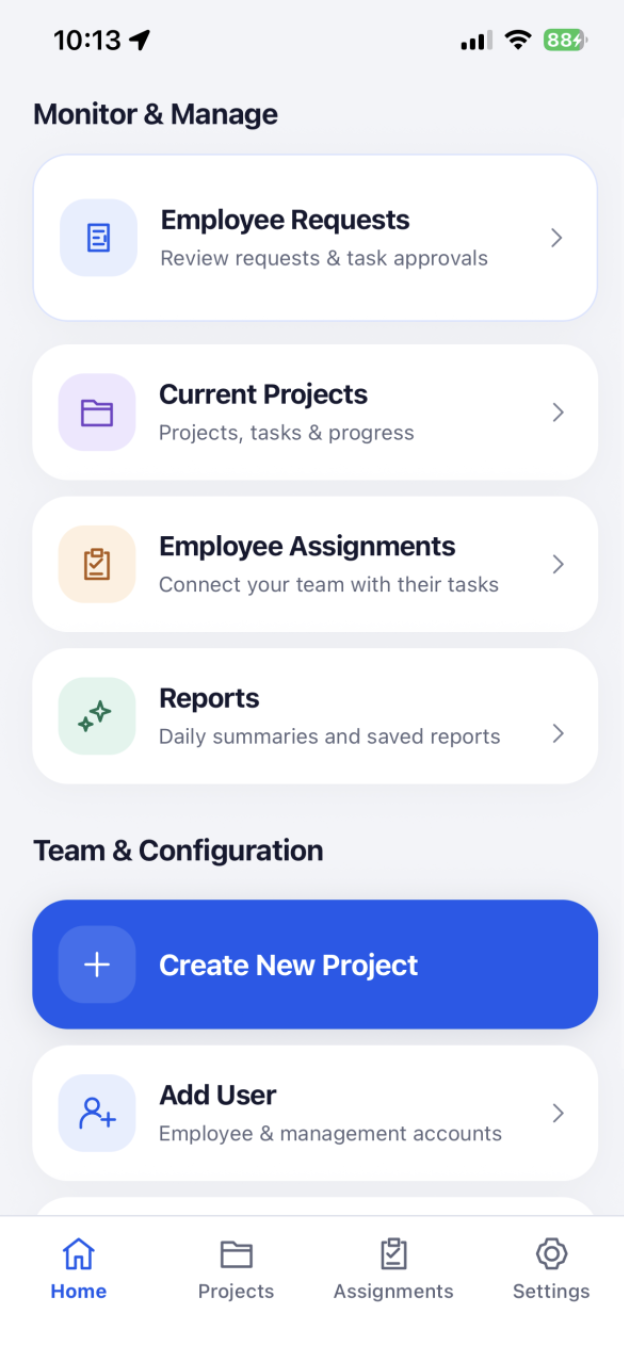
Facility Ops Manager Home screen
✓TASK COMPLETELine 3 changeover
▦QR CLOCK-INMaria · 6:58 AM
↗NEW REQUESTNeeds your review
QR clock-in✦Projects & tasks✦Employee assignments✦Material tracking✦Completion review✦Reusable templates✦Role-based views✦
The product

See the work.
Know what moves next.

Facility Ops follows the work instead of adding another layer around it. Managers set the plan, employees see what is assigned, and updates stay attached to the task.

01

Keep assignments clear from plan to completion.

Managers see who owns each task, follow active work, and keep recent progress visible without leaving the app.

Employee assignmentsConnect the right people to active work.Task statusSee what is new, moving, or ready for review.
02

Start every shift with a clear next step.

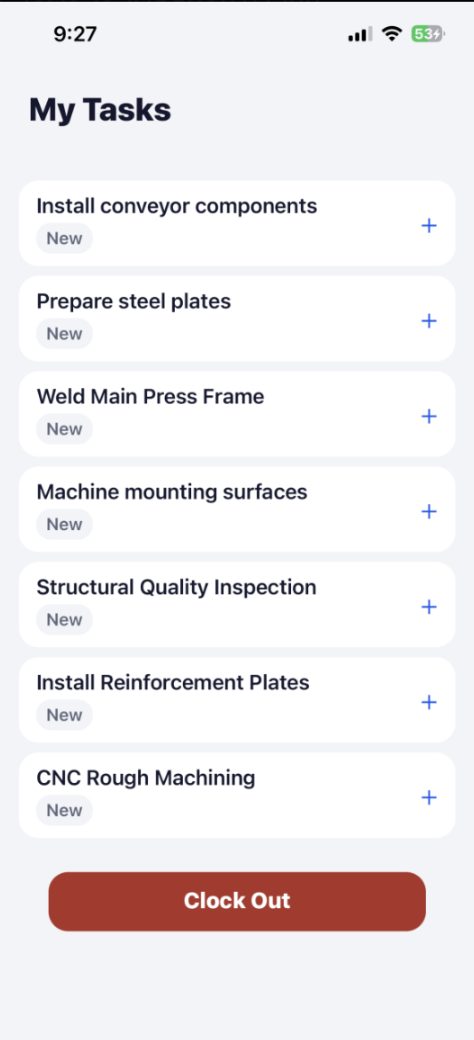
Employees clock in, open what is assigned to them, and see exactly what to do next, no hunting for answers.

Assigned task listOne focused list, always current.QR clock-inStart the day in a single scan.
03

Spot what needs a decision, fast.

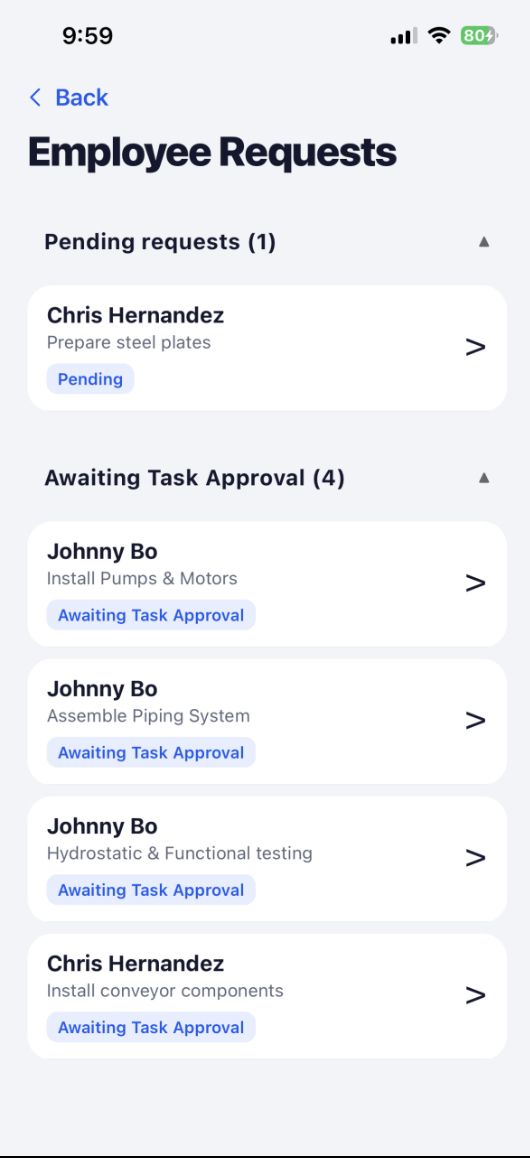
Requests and task changes land with context attached, so managers can approve, send back, or reassign in seconds.

Requests with contextChanges arrive documented, not by word of mouth.Completion reviewApprove or request rework on the spot.
04

See the whole operation at a glance.

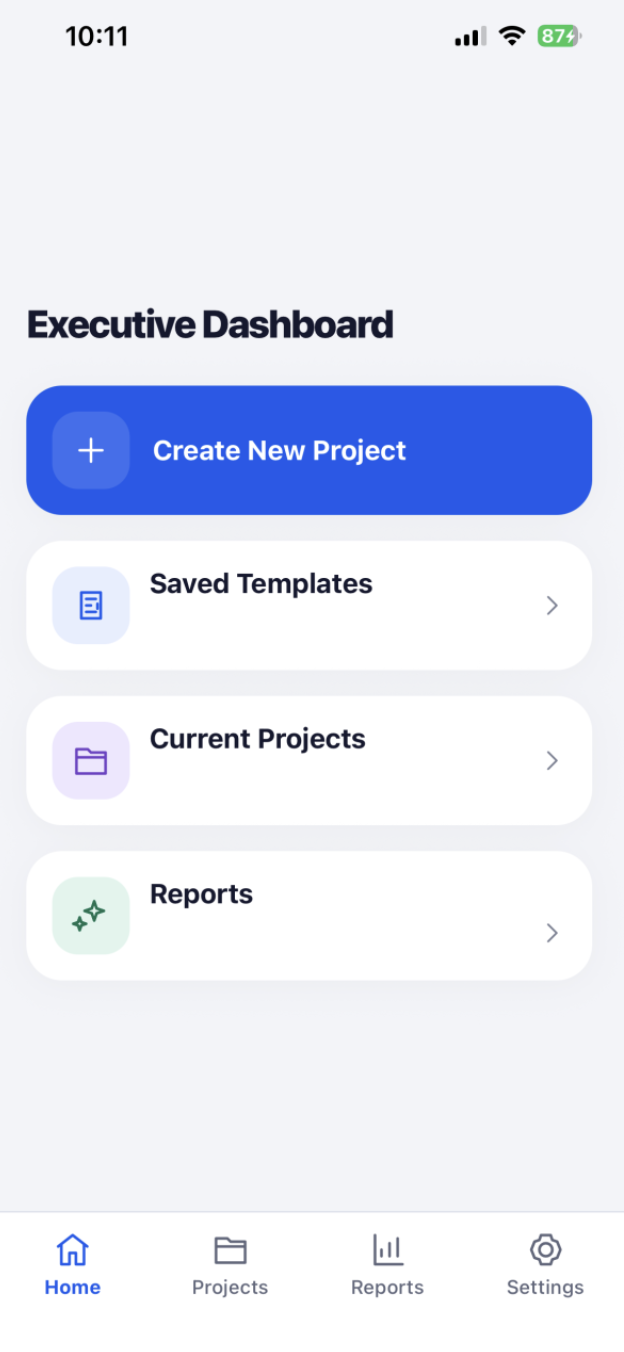
Executives open current projects and reporting from the same app, without losing the details underneath.

Current projectsProgress across everything in flight.Executive homeThe big picture, one tap from the detail.
Facility Ops Employee Assignments screen Facility Ops employee task list Facility Ops Employee Requests screen Facility Ops Executive Dashboard screen
People + tasks Status + progress
One connected shift

Less chasing.
More moving.

Every role gets a focused mobile experience, while project status and team activity stay connected.

1Plan

Create the project, tasks, materials, and expected time.

2Assign

Match employees to active work and see assignment status.

3Work

Clock in, open assigned tasks, and keep progress current.

4Review

Handle task changes, completion review, and rework.

Built around the team

The right view for the person holding the phone.

Keep the plan and the people in view.

Create projects, assign work, review status, manage users, and respond when a task needs attention.

  • Project and task setup
  • Employee assignments
  • Requests and completion review
  • Team and workflow settings
Facility Ops Manager Home screen
PHONE-FIRSTManager workspaceCurrent Facility Ops screen
The operation in one place

Practical tools for the workday.

▦

Projects, tasks, and materials

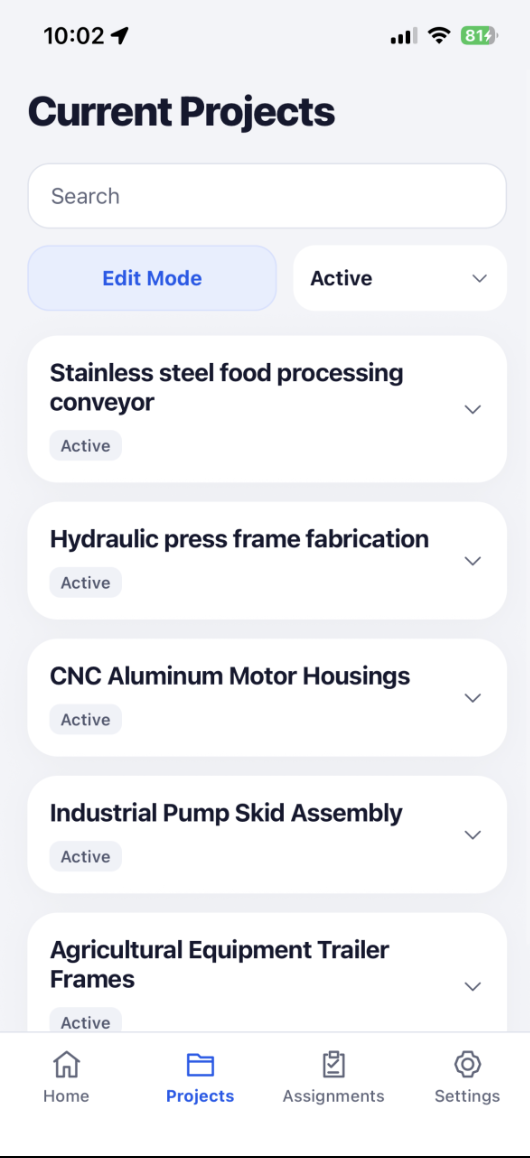
Organize production work with the time, cost, and material context the team needs.

Facility Ops Current Projects screen
⌗

QR time tracking

Use the employee flow to clock in and keep basic labor time connected to the day.

↗

Employee requests

Configure task-change and completion requests for automatic approval, or keep manager review when the work needs a decision.

OPERATION

Reuse what already works.

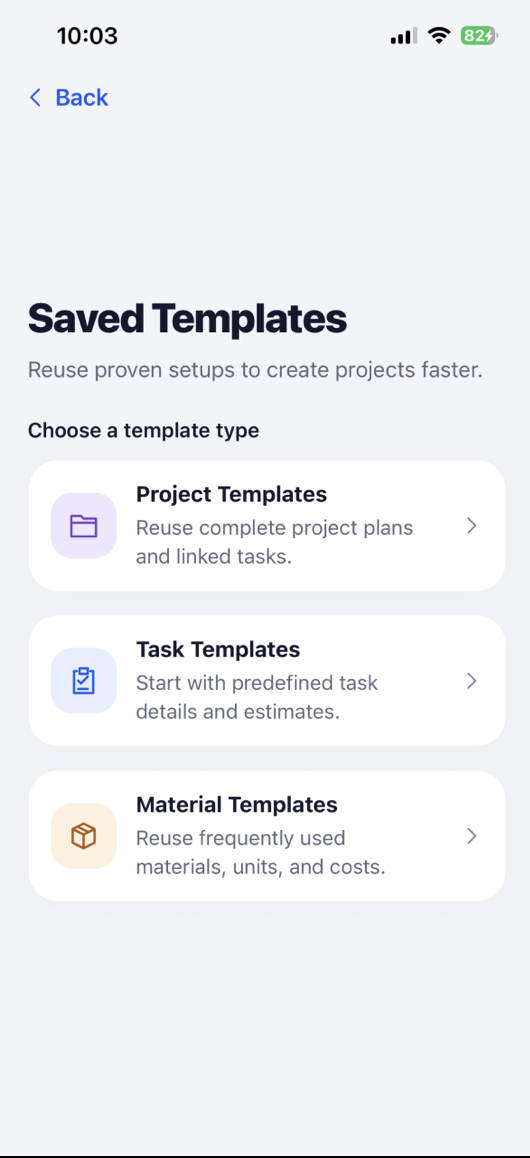
Turn proven project plans, tasks, and materials into templates for the next job.

ProjectTaskMaterial
Facility Ops Saved Templates screen
✓

Review with context

Keep requests and task details together so managers can make the next call.

Facility Ops Employee Requests screen
Early access

Put Facility Ops in the hands of your team.

Request preview access for product updates and an opportunity to evaluate the mobile app with your operation.

Mobile app previewSee the real workflow on a phone. Product updatesHear when access becomes available.
01

Request preview access

Tell us where to send the next Facility Ops update.

The team behind Facility Ops

Built by Sweep.

Facility Ops is developed by Sweep with a focus on simplifying operational workflows and improving production visibility.

CONTACTinquire@sweep-ai.com
The next shift is already moving

Give the work
one clear place.

Projects, people, assignments, and progress, connected in the Facility Ops mobile app.

Request preview access